Synchronize Interactive Brokers trades with Flex Web Service
Interactive Brokers traders can now bring completed trades into Deltalytix without repeatedly uploading statements. A one-time Flex Web Service connection stays available on Connections, where you can use Sync now, reconnect, remove the connection, or choose an automatic schedule.
Set up the read-only report once
Choose Add Interactive Brokers connection and follow Set up in IBKR Client Portal. The in-app guide walks through an Activity Flex Query with these required settings:
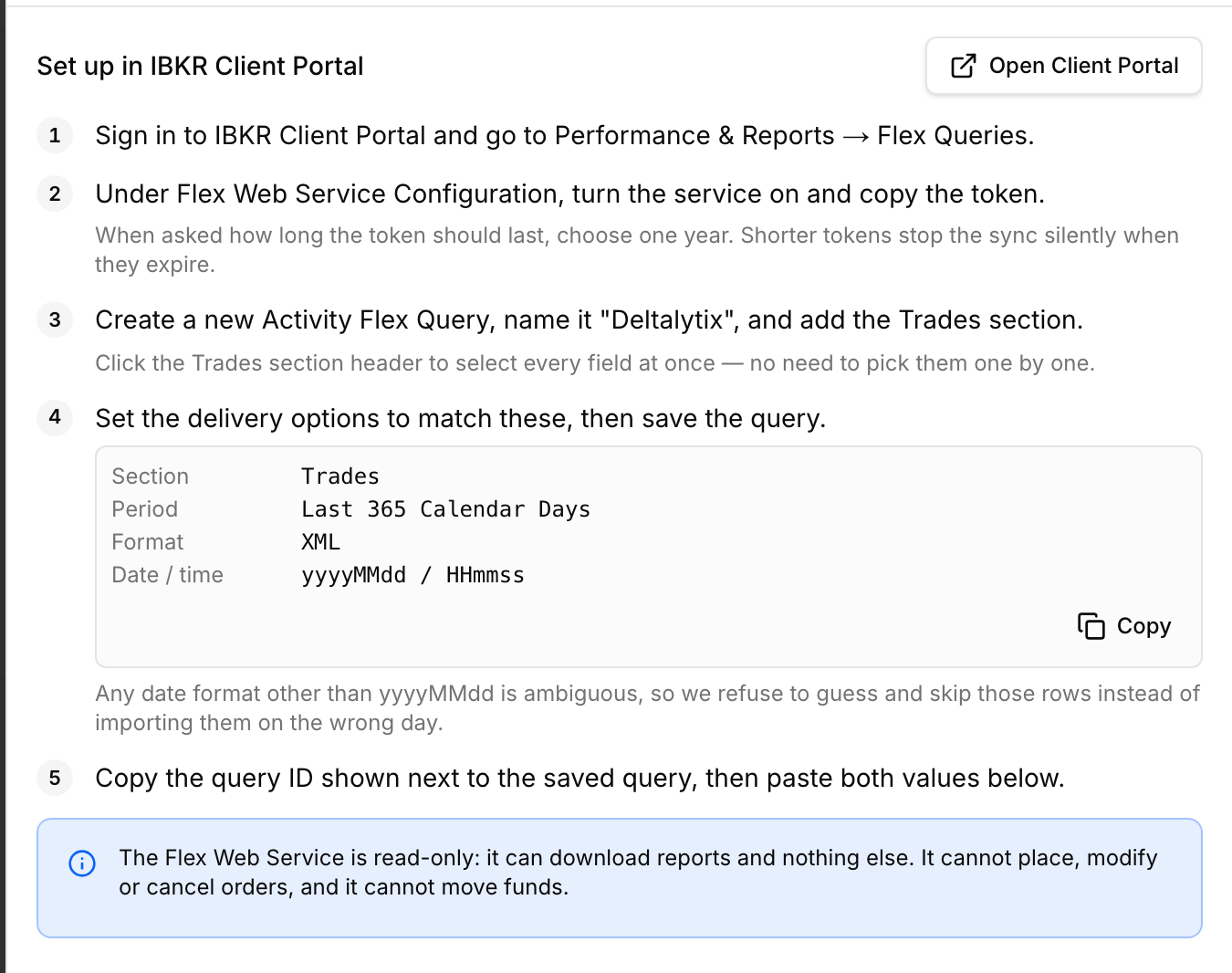
- Trades section;
- Last 365 Calendar Days period;
- XML output with
yyyyMMdddates andHHmmsstimes.
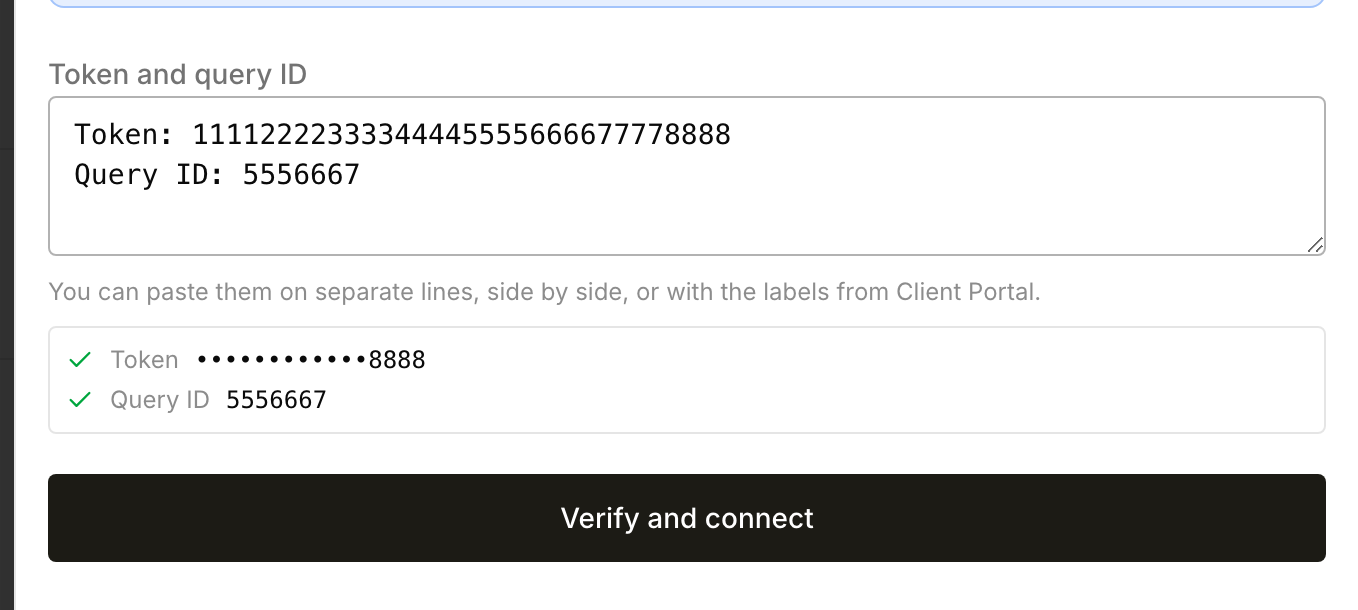
Paste the Flex token and query ID together, in either order, then select Verify and connect. The service is read-only: Deltalytix cannot place or cancel orders, or move funds through this connection.
Only completed trades are imported. Rows with ambiguous dates are skipped, and P&L in different currencies is stored as IBKR reports it rather than converted. Removing the connection leaves previously imported journal trades in place.
Open Connections to follow the IBKR setup guide and connect your Flex Query.